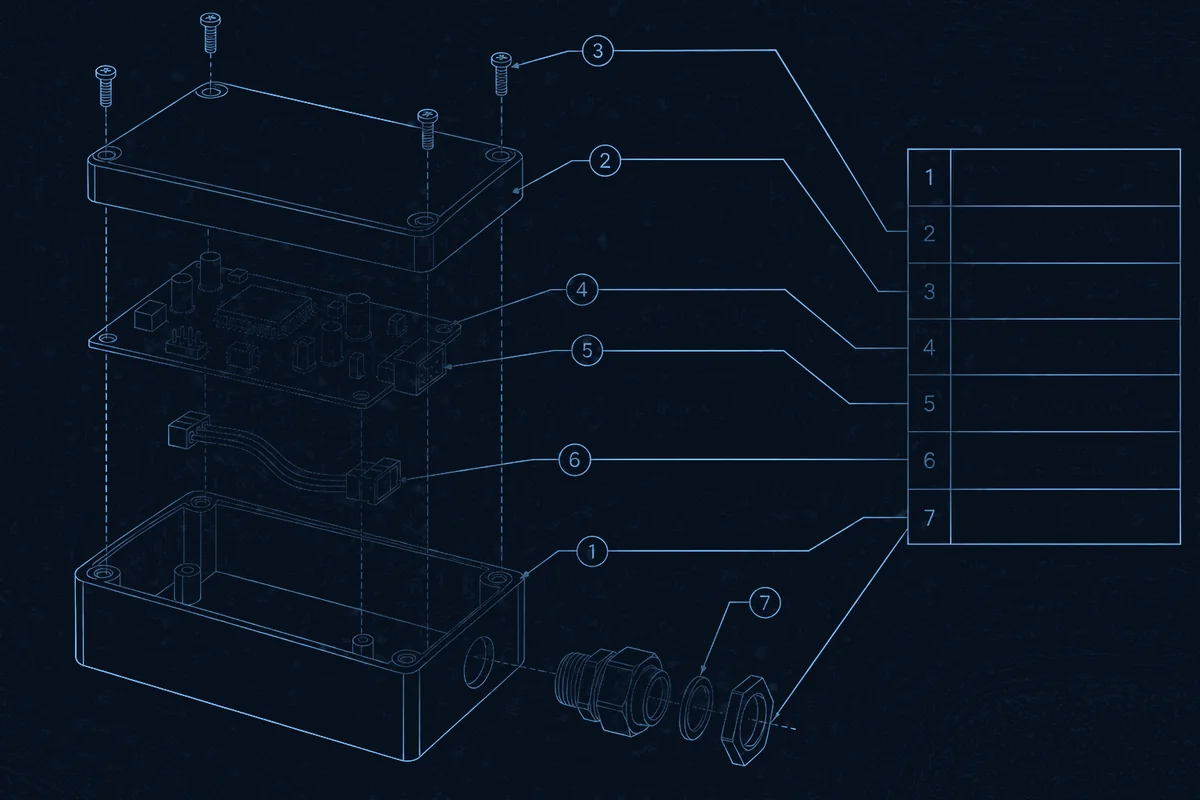
A box build BOM is quotable when every line names an exact part, how many go into one finished assembly, who supplies it, and what may replace it. A parts list that only describes components (“M3 screw”, “12 V connector”) makes the supplier guess, and a guessed line becomes a price assumption or a delay. This guide covers what a quotable BOM contains for a box build, meaning the enclosure plus its electronic and mechanical assembly, and how to keep it correct as the design changes.
Use it with the box build RFQ package guide: the BOM is one input, alongside drawings, test requirements and volumes.
Review the BOM from three perspectives
- Design: Does every line tie to a drawing, a revision and a position in the assembly? A BOM that disagrees with the CAD or the wiring drawing is the most common source of a stalled quote. Review it with the design for manufacturing checklist.
- Manufacturing: Can an operator tell which parts go into which sub-assembly, in what quantity, with which fasteners and consumables? Missing hardware lines are discovered at the bench, when they are most expensive.
- Procurement: Is each part orderable from a named manufacturer, with a stated supply responsibility and an approved alternate where the part is single-sourced? Treat any proposed substitute as an engineering review item rather than a purchasing swap.
These are preparation recommendations, not guarantees of price or lead time; those follow from the quotation.
Choose the BOM structure: indented or flat
| BOM form | What it shows | Use it for |
|---|---|---|
| Indented (multi-level) | Parent-child structure: the box build, its sub-assemblies (enclosure, PCBA, harness) and the parts in each | Showing how the product is built and what belongs to each sub-assembly |
| Flat (flattened) | One list of every distinct part with its total quantity across all levels | Quoting, sourcing and cost comparison |
An indented BOM keeps the assembly structure; a flattened one totals each part across all sub-assemblies, which suits quotation and sourcing. Send both when you can: the indented view for build structure, the flat view for pricing. See Altium’s explanation of multi-level BOMs and Arena’s definition of a flattened BOM.
The columns a supplier needs on every line
| Column | What to enter | Why it matters |
|---|---|---|
| Line / item number | A stable number that does not change between revisions | Lets quotes, orders and change notices point to the same line |
| Assembly level or parent | The sub-assembly the part belongs to | Prevents the same part being counted in the wrong place |
| Description | A plain description that matches the part number | Allows a cross-check against the part number |
| Manufacturer and manufacturer part number (MPN) | The exact part from a named manufacturer | A distributor SKU is unique to the seller and cannot reliably identify the component |
| Quantity per assembly and unit of measure | How many go into one finished unit, and the unit (each, metre, millilitre) | Cut lengths of cable and consumables need a unit |
| Reference designators or positions | Board refdes, or the position callout on the drawing | Ties the line to the drawing and to rework instructions |
| Approved alternate | A second manufacturer and MPN where allowed | Keeps a shortage from stopping the build |
| Supply responsibility | Turnkey (the supplier sources), consigned, or customer-supplied | Decides what is quoted, who holds stock and who owns shortages |
| Revision | The part or drawing revision | Prevents building to a superseded design |
| Notes | Torque, finish, colour, label text, adhesive or sealant specification | Carries the details a part number alone does not |
The pattern follows common BOM guidance: use manufacturer part numbers rather than distributor SKUs, capture approved alternates as second sources, and keep descriptions and headers consistent (Altium: BOM best practices). The data a supplier needs is also the data defined for exchange in IPC-2578, the sectional standard for exchanging bills of material, approved manufacturer lists and change history.
Cover the lines people forget
A box build BOM is not just the board and the enclosure. Check that these categories are on it:
- Enclosure and mechanical parts: the enclosure or panels with their finish and material, gaskets, standoffs, brackets, hinges, latches, feet.
- Fasteners and hardware: every screw, nut and washer with its size and type, and the torque or thread-locking requirement in the notes.
- Cable and harness: each cable or harness as a line with its drawing number and revision, or the wire, connector and terminal lines if the supplier builds it. For routing and strain relief, see cable management in enclosures.
- Sealing and protection: cable glands, grommets, seals, and any conformal coating or potting material with its specification.
- Thermal parts: heat sinks, thermal pads or paste, fans, with the interface specification.
- Labels and marking: each label with its text or artwork reference and placement, and any serial or lot marking; see traceability and serialization.
- Packaging and documentation: cartons, foam, desiccant, manuals and inserts that ship with the unit.
- Consumables and process materials: adhesive, sealant, thread-locker and solder, where they are specified items.
Say who supplies each part
Decide the supply route for each line before the quote, because it changes what is priced and who carries the risk. The turnkey versus consignment guide covers the trade-offs. In the BOM, mark each line as turnkey, consigned or customer-supplied, and for consigned or customer-supplied parts state the quantity you will send including any overage you expect the build to need. A part that is not marked defaults to whatever the supplier assumes.
Name alternates the right way
Name alternates by manufacturer and part number, with the approval route, instead of writing “equivalent acceptable”. An approved alternate keeps a build moving when a part is short, but it needs the same form, fit and function and the same approvals. Arena describes how an approved manufacturer list records these. State which parts have no acceptable alternate, such as a connector qualified into the design, so the supplier does not offer a substitute.
Keep the BOM, drawing and CAD in agreement
Before release, check that the BOM, the 3D model, the drawings and the wiring diagram agree on part numbers, quantities and revisions. When the design changes, issue the new BOM with its revision, a list of what changed, and the effective point for the build. Line numbers that stay stable between revisions make the change list readable. Quote against a stated BOM revision, and record which revision was built.
Representative project (anonymized)
An Australian heavy-machinery manufacturer requested quotes for several custom wire harness models but supplied incomplete technical documents at the first inquiry: relay models, Deutsch connector models and Hammond enclosure details were missing, which prevented an accurate quote and put a 200-piece batch at risk. The response was an engineer-to-engineer clarification, built around a technical checklist for the customer’s team, until every missing specification was locked down before sampling. That allowed accurate quoting for the 3 sample units and the 200-piece run. The lesson applies to BOMs generally: the lines that are missing or vague are the lines that cause rework and delay, so close them before the quote rather than during the build.
What to send with the BOM
Send the BOM with the items it depends on, using the box build RFQ checklist:
- the BOM in both indented and flat form, with its revision;
- enclosure drawings and 3D model, harness drawings and the wiring diagram;
- the supply route for each line, with consigned quantities;
- approved alternates, and parts with no acceptable alternate;
- test and inspection requirements, labelling and packaging requirements;
- volumes per release and the target schedule.
A DFM and BOM review of this package before quoting finds mismatches between the BOM and the drawings early, and the capabilities hub shows how those inputs connect to assembly and test.
FAQ
Should the BOM list manufacturer part numbers or distributor part numbers?
List the manufacturer and manufacturer part number. A distributor SKU belongs to one seller and cannot reliably identify the same component elsewhere. Distributor numbers can be added as extra information, but they should not replace the MPN.
Do I need an indented BOM or a flat BOM?
Send both if you can. The indented form shows which parts belong to which sub-assembly; the flat form totals each part and is easier to quote and source from. They should describe the same product at the same revision.
How should I list cut-to-length wire, tubing or sealant?
Give the quantity per assembly with an explicit unit, such as metres or millilitres, and the specification. For wire cut to length, the harness drawing should define the lengths; the BOM carries the part and the total consumption.
What if a part has no acceptable alternate?
Say so on the line. A connector or component qualified into the design may be single-sourced by choice or by approval. A supplier who does not know that may propose a substitute, which then costs a review cycle.
Who is responsible for BOM errors found during the build?
Agree this in the quote. A BOM is a joint document: the customer owns the design intent and part selection, and the supplier owns its review of the data supplied. Define who approves a correction and how the revised BOM is issued before the build starts.
How often should the BOM be revised?
Issue a new revision whenever a part number, quantity, supply route or alternate changes, and keep a change list. Do not edit a released BOM in place without changing its revision.