Powered burn-in
The unit is powered and held at a defined elevated temperature for a defined duration, often with periodic or continuous functional monitoring, to precipitate infant-mortality failures.
Screening & Reliability
Run the customer-approved burn-in and ESS profile on finished units to catch early-life failures before they ship.
Request a quote
Send your drawing, BOM or idea — we reply with a practical Box Build scope review.
Environmental stress screening applies a defined stress — usually a powered burn-in and a thermal profile — to a finished unit so that a weak solder joint, a marginal connection, or an infant-mortality component fails on the production line instead of in the field. It is a screen run to the customer-approved profile, not a design-qualification test and not a replacement for the final functional check.
The boundary keeps the quotation honest: the reliability requirement and the stress profile are owned by the customer or the product specification, while running the approved profile, capturing the record, and handling failures are executed here. We do not infer reliability performance from screening alone. New to the model? Start with what Box Build assembly is.
The method, temperature range, dwell, cycle count, duration and powered state are defined in scope. Common approaches we execute to a customer profile include:
The unit is powered and held at a defined elevated temperature for a defined duration, often with periodic or continuous functional monitoring, to precipitate infant-mortality failures.
The unit is cycled between defined temperature limits for a defined number of cycles to stress solder joints, connections and mechanical interfaces.
The unit runs under a defined operating condition for a set period so intermittent or marginal behavior surfaces before shipment.
Functional monitoring during or after screening, per the approved procedure, so a failure is captured with the stress condition that produced it.
They answer different questions and are scoped separately.
Functional testing confirms the unit works to the approved procedure — power-up, I/O, communication and defined outputs. ESS asks whether the unit will keep working: it stresses the assembly so a marginal joint or infant-mortality part fails now, not later.
Many programs run a functional test before screening, apply the ESS profile, then functional test again — so a unit that passes has both worked and survived the defined stress. The pre/post scopes, limits and acceptance authority are agreed in scope review.
Each screened unit can carry a record associating its identity, the applied profile and revision, duration or cycle count, in-situ checks, and the pass/fail result against the approved criteria. A failure is isolated, fed back to engineering, and dispositioned for authorized rework and retest rather than re-run silently. See how these connect to each unit under quality and traceability records, and how test readiness is proven during NPI and pilot builds.
Method, temperature range, dwell, cycle count, duration, and powered/unpowered state, owned by the customer or product spec.
Whether in-situ functional checks are required during or after screening, and the procedure and limits.
Pass/fail definition, escape and failure thresholds, and the named acceptance authority.
Powering method, connections, monitoring interface, and any fixture or DUT-access requirement.
Data fields, unit identity association, profile-revision traceability, and retention.
Isolation, engineering feedback, authorized rework, retest, and disposition rules.
Include current revisions and identify incomplete items. The Box Build RFQ checklist provides the full product-level input list.
ESS is a screening step that applies a defined environmental stress — most often a powered burn-in and thermal profile — to a finished unit to precipitate early-life ("infant mortality") failures before the product ships. It is a screen run to the customer-approved profile, not a design qualification test and not a substitute for the final functional test.
No, they are complementary. Functional testing verifies the unit works to the approved procedure; ESS stresses the unit (temperature soak, cycling, run-in) so a weak solder joint, marginal connection or infant-mortality part fails on the line rather than in the field. Many programs run a functional test before and after screening; both scopes are defined separately.
No. The stress profile, temperature range, dwell and cycle count, duration, powered state, and pass/fail criteria are defined and owned by the customer or the product specification. We run the approved profile, record the result, and handle failures to the agreed workflow; we do not infer reliability performance from screening alone.
The record can associate unit identity, the applied profile and its revision, duration or cycle count, any in-situ functional checks, and the pass/fail result against the approved criteria, with failure handling that defines isolation, engineering feedback, authorized rework and retest.
The manufacturing resources behind these Box Builds operate under independently audited, currently valid management-system registrations. The certificates below are the genuine documents — shown in full for verification rather than as institution logos. Product-level compliance for a specific device remains defined and owned by the customer.
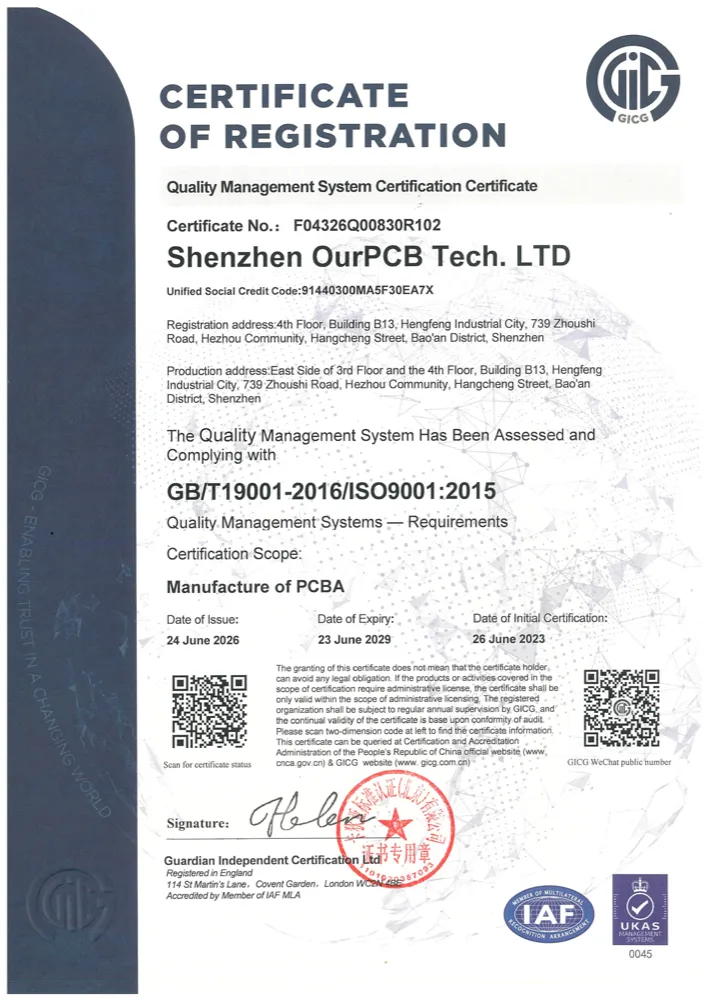
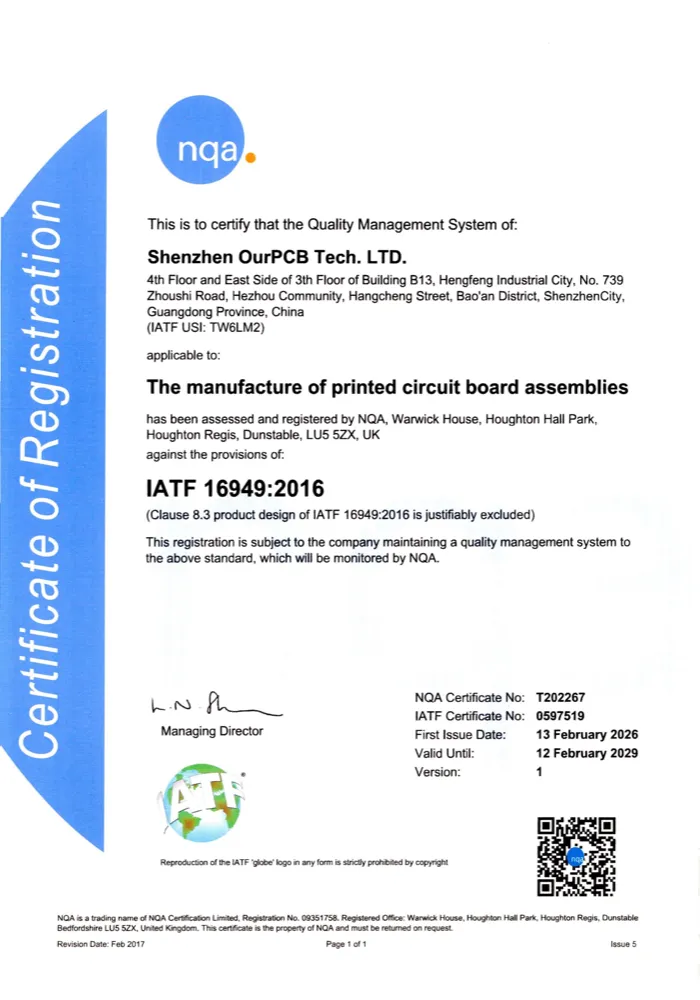
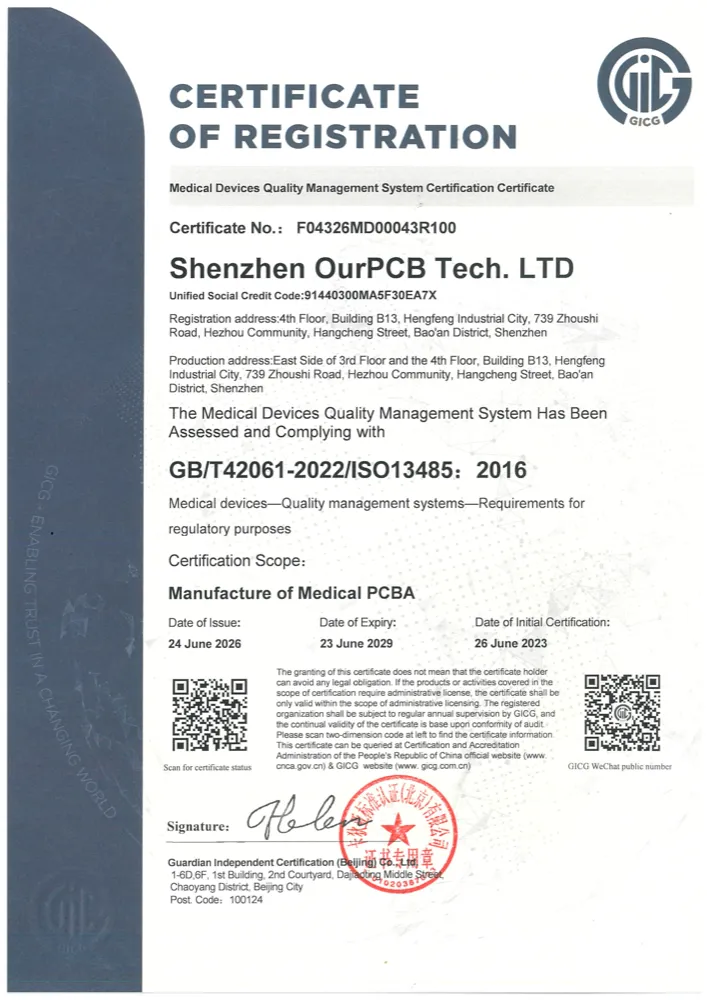
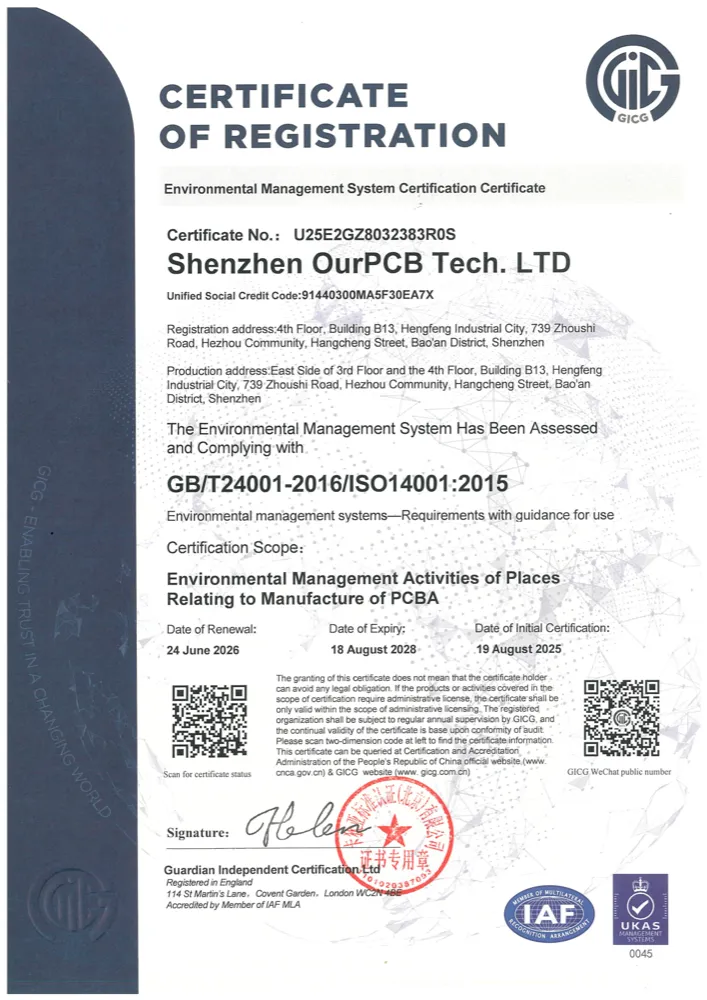
Certificates are issued to the operating manufacturing entity named on each document. Click any certificate to open the full-size scan.
Have a BOM, assembly drawings, enclosure CAD, harness requirements or test procedure? Send what you have. We’ll confirm the Box Build scope, identify missing information and outline the next step before quotation.

Send your drawing or idea and we’ll reply with a practical Box Build scope review.